01
Portal Build
Designed and developed the WordPress site structure, page templates, responsive layouts, navigation, and secure member-facing experiences.
Selected Work
Designing and building a secure WordPress members portal with role-based content pathways, structured benefits resources, and publishing workflows for benefits administrators.
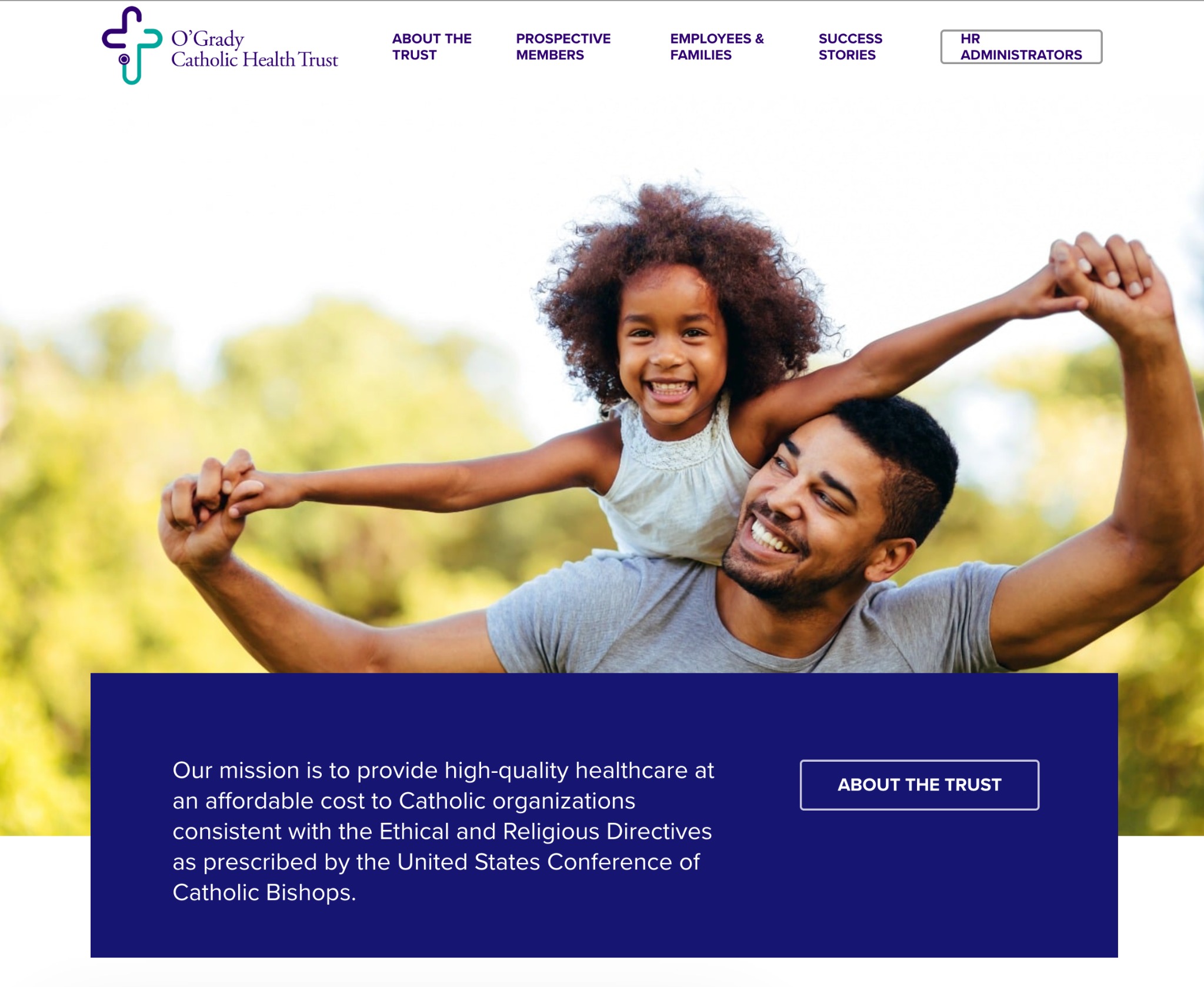
Catholic Health Trust portal homepage with audience-based navigation and mission-focused positioning.
O’Grady Catholic Health Trust needed a secure WordPress website and members portal that could organize benefits content, support member-facing resources, and provide role-specific pathways for the people responsible for managing plan information.
I designed and built the site from scratch within a two-month timeline. The project required more than a standard marketing website: it needed login-protected access, structured content models, taxonomy-driven resources, advanced search and filtering, and content workflows that made it easier for benefits administrators to upload and maintain information.
The result was a custom WordPress portal that connected audience-specific page experiences with a more maintainable CMS architecture behind the scenes.
The site needed to serve distinct groups with different permissions and information needs. Prospective member organizations needed clear introductory content. Enrolled employees and families needed access to benefits resources. Benefits administrators needed a secure area where they could manage, upload, and reference plan-related materials for their members.
My Role
I translated organizational, content, and access-control requirements into a working WordPress portal, building both the front-end page experience and the underlying CMS structures that powered member resources and administrator workflows.
Designed and developed the WordPress site structure, page templates, responsive layouts, navigation, and secure member-facing experiences.
Configured WordPress and Toolset structures to support different user groups, content permissions, custom post types, taxonomies, and dynamic resource views.
Created content-management patterns that made it easier for benefits administrators to upload, organize, and maintain plan-related resources.
I built the Catholic Health Trust site from scratch on WordPress as a secure portal experience for members and benefits-related audiences.
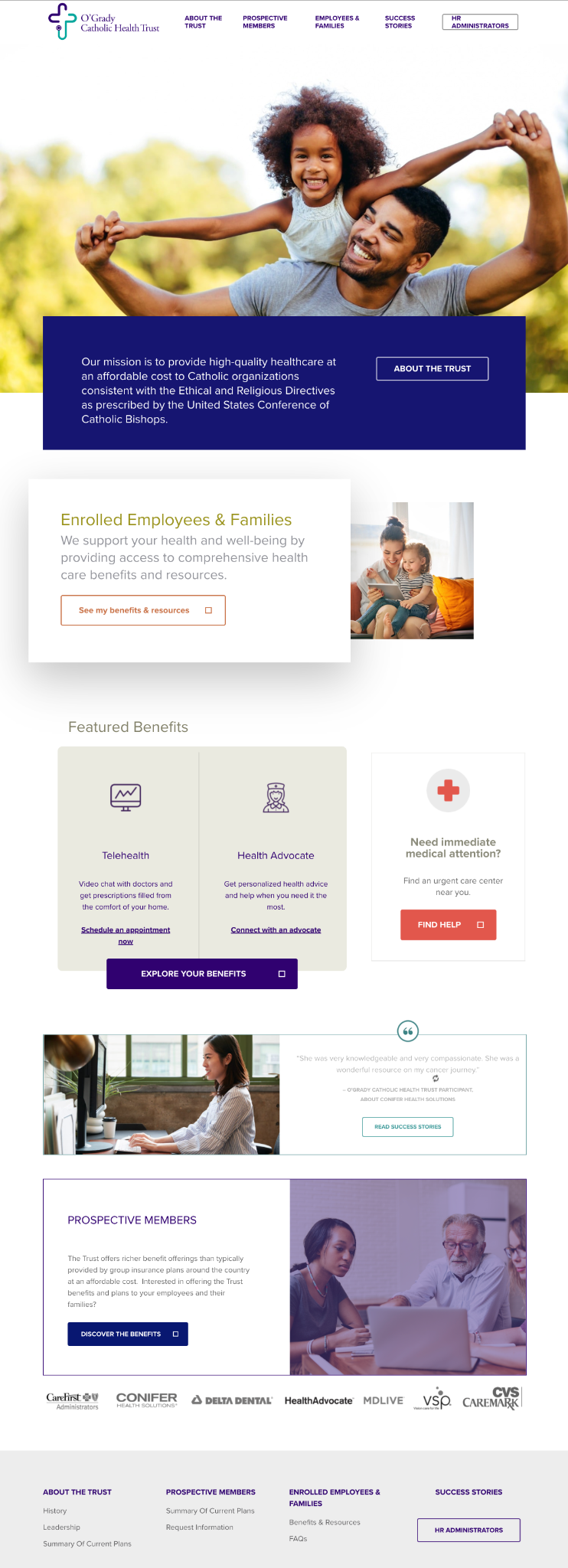
The homepage introduced the Trust’s mission, directed visitors to key audience pathways, and used modular content sections to feature benefits, success stories, prospective member information, and partner/vendor content.
The build created a complete website foundation that could serve prospective member organizations, enrolled employees and families, and benefits administrators without forcing every audience through the same generic content path.
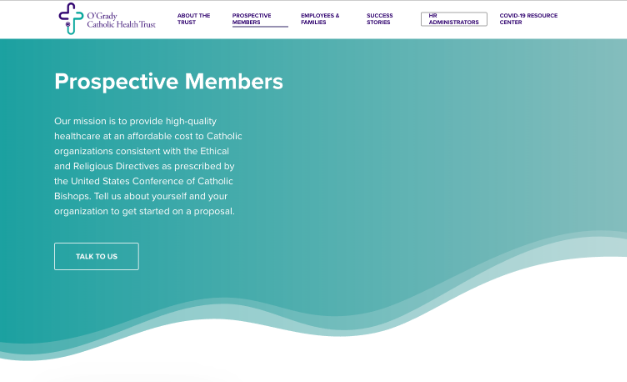
The portal needed to support different user groups with different information needs and access levels. I built page experiences for key audiences including prospective members, enrolled employees and families, and benefits administrators.
The Prospective Members page explained the Trust’s value proposition, summarized plan offerings, and included a request-information form so organizations could take the next step.
Instead of relying on one broad website narrative, the site gave each audience a clearer entry point and a more relevant content pathway, with secure access patterns supporting member and administrator content.
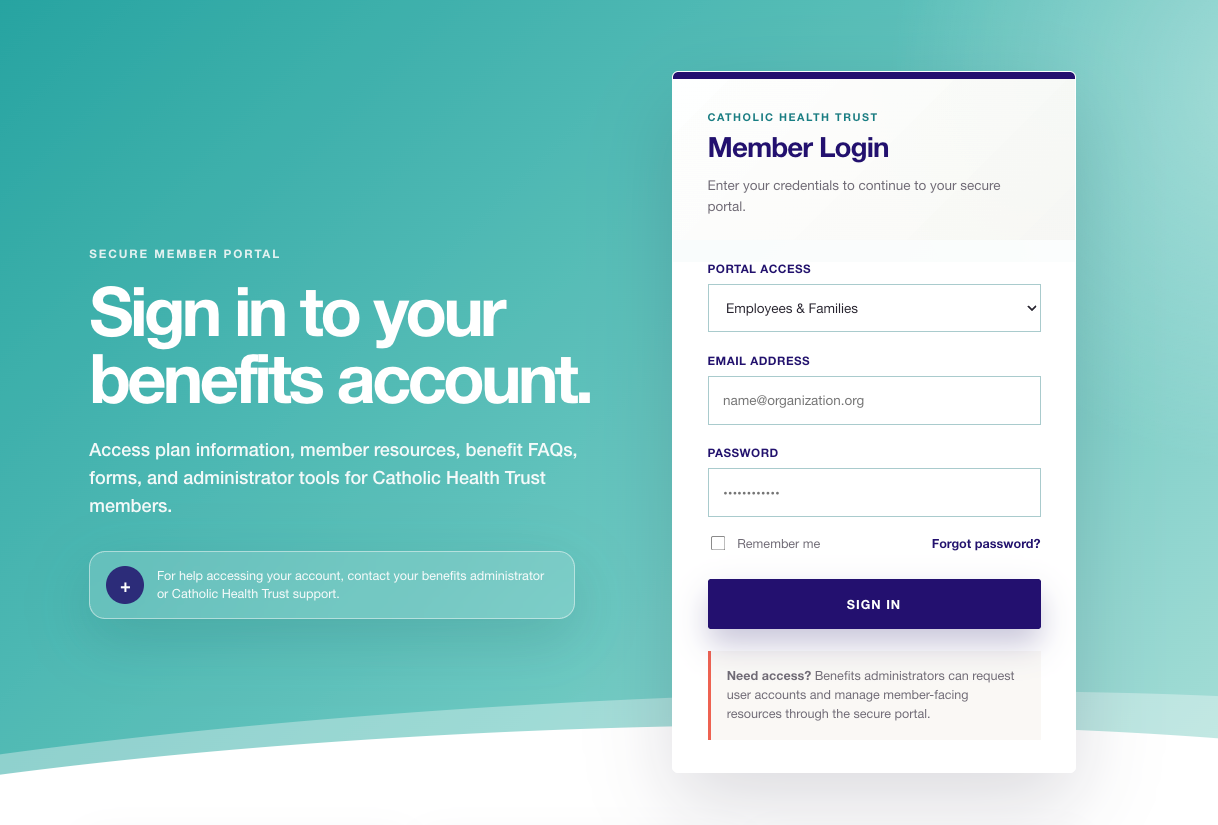
A major part of the project was supporting benefits administrators who needed secure access to plan-related resources, policy materials, benefits information, and updates they could reference or manage for their member organizations.
I used WordPress user roles and Toolset-powered content structures to create role-aware experiences, allowing administrator users to work with structured resource content instead of relying only on manually edited pages or static link lists.
The administrator portal was built around reusable content types, taxonomy terms, filtered listings, and structured publishing workflows so benefits administrators could upload and maintain resources more easily.
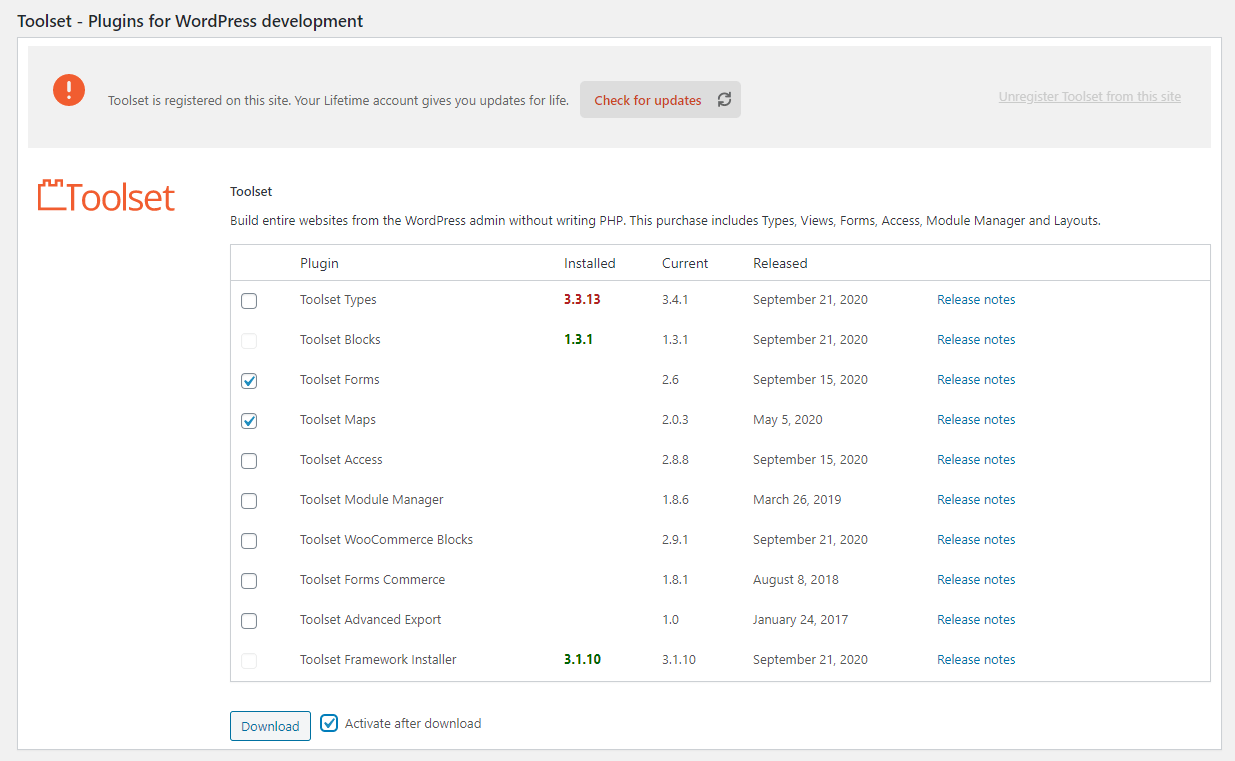
I used Toolset to extend WordPress beyond standard pages and posts. The implementation included custom post types, custom taxonomies, custom fields, dynamic views, and structured content workflows that supported both member-facing resources and administrator-managed content.
This approach made WordPress function more like a secure content system, allowing related benefits resources to be grouped, filtered, displayed, and maintained across different sections of the portal.
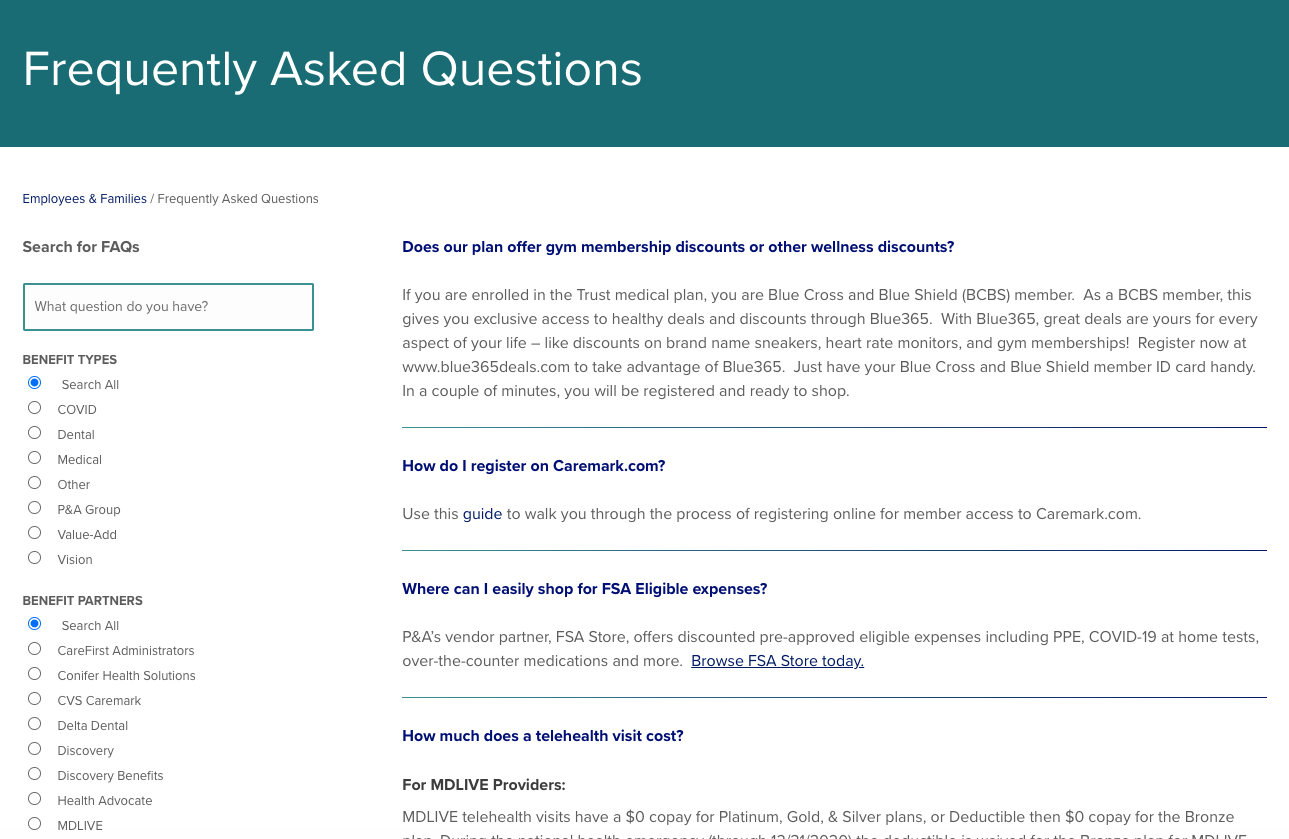
The resource experience needed to help members and administrators find relevant information without digging through long static pages. I built search and filtering patterns using Toolset views and taxonomy-driven content organization.
For content-heavy benefits portals, this kind of structure matters because users often arrive with a specific question: a form they need, a plan detail, a benefit category, a policy resource, or a member-specific update.
The filtered views helped make dense benefits information more findable and gave benefits administrators a more scalable way to manage growing resource libraries.
Impact
The project delivered a custom WordPress members portal on a compressed timeline while giving the organization a more structured way to manage healthcare benefits content, secure user access, administrator workflows, and resource-heavy sections.
Completed a custom WordPress portal build within a defined project deadline.
Used WordPress and Toolset to support secure user groups, custom content structures, and taxonomy-driven resources.
Made it easier for benefits administrators to upload, organize, and maintain plan-related content.
Skills Demonstrated
Reflection
This project strengthened the part of my work I still care about most: turning complex organizational content into a usable, maintainable digital system.
For Catholic Health Trust, that meant designing and building a secure WordPress portal that served multiple user groups while giving the organization a stronger CMS foundation behind the scenes.
It reflects the kind of web development work I want to continue doing: building useful, accessible, maintainable digital experiences for mission-driven organizations with complex member, stakeholder, or public-facing needs.